Facebook: Everything you need to know!
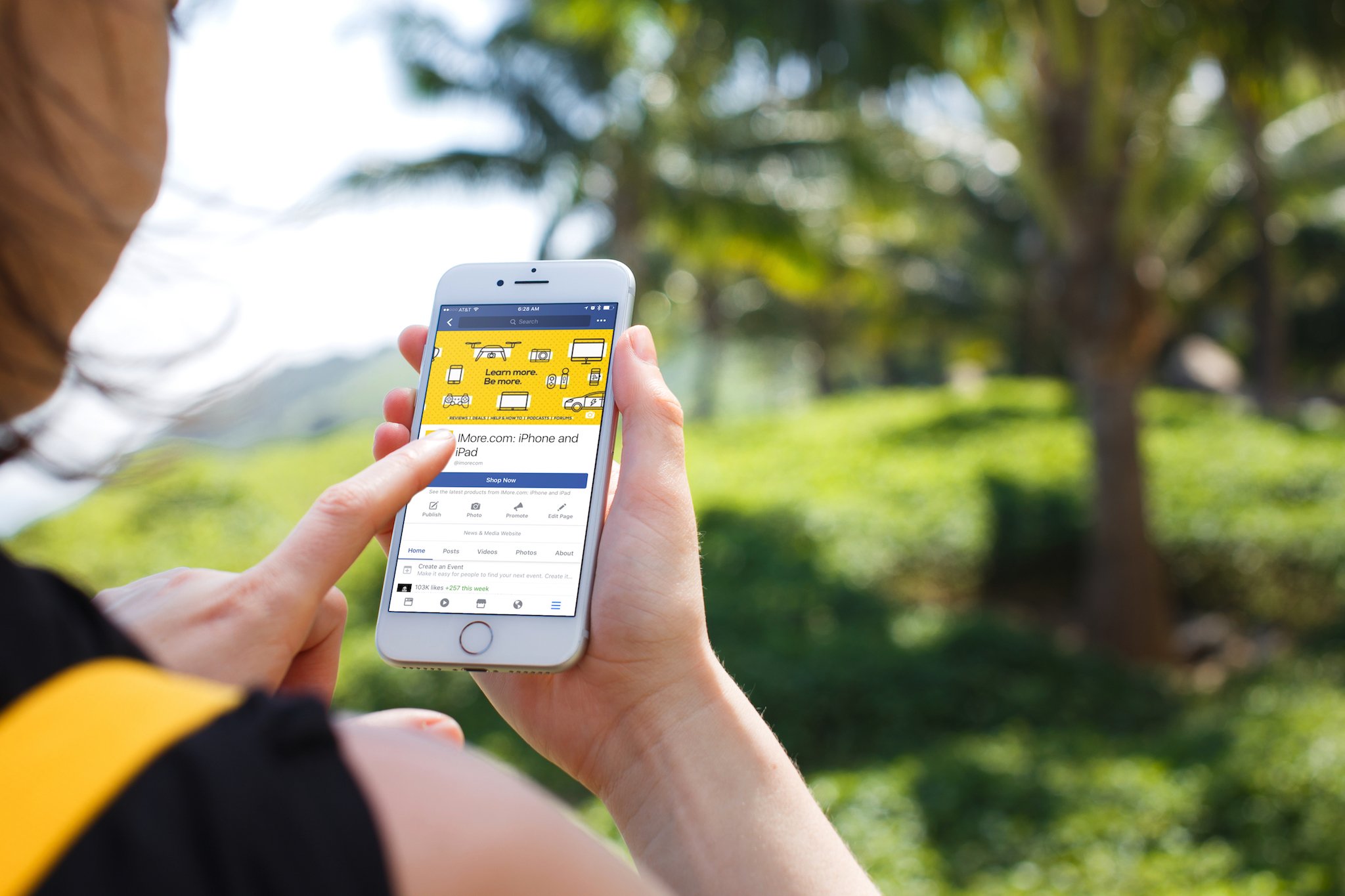
Curious about the world's favorite social networking site? Learn all you need to know about Facebook here!
Pretty much everyone has a Facebook account. Grandmas, middle schoolers, celebrities, fast food restaurants — you name 'em, and I can say with at least 85% certainty that you'll be able to find them on Facebook. However, maybe you've just emerged from some sort of self-imposed Walden forest isolation scenario and are extremely confused about this whole Facebook business. Or maybe you're just a casual user who wants to know how to better utilize the site so you can get the full Facebook experience. Either way, fear not: we've got you covered.
What's new with Facebook?
Check back here for the latest updates in Facebook news.
April 4, 2018 - Facebook has outlined a plan to better protect your information
Today, Facebook's Chief Technology Officer Mike Schroepfer published a blog post in which he states that the company believes the Facebook information of up to 87 million people may have been improperly shared with Cambridge Analytica — much more than was initially estimated. As part of the attempt to repair the site's image, the post also outlines a plan to restrict the use of application programming interfaces, or APIs (from which data can be extracted) on various parts of the site. Here are the highlights:
-
Events API:
Until today, people could grant an app permission to get information about events they host or attend, including private events. This made it easy to add Facebook Events to calendar, ticketing or other apps. But Facebook Events have information about other people's attendance as well as posts on the event wall, so it's important that we ensure apps use their access appropriately. Starting today, apps using the API will no longer be able to access the guest list or posts on the event wall. And in the future, only apps we approve that agree to strict requirements will be allowed to use the Events API.
-
Groups API:
Currently apps need the permission of a group admin or member to access group content for closed groups, and the permission of an admin for secret groups. These apps help admins do things like easily post and respond to content in their groups. However, there is information about people and conversations in groups that we want to make sure is better protected. Going forward, all third-party apps using the Groups API will need approval from Facebook and an admin to ensure they benefit the group. Apps will no longer be able to access the member list of a group. And we're also removing personal information, such as names and profile photos, attached to posts or comments that approved apps can access.
-
Pages API:
Until today, any app could use the Pages API to read posts or comments from any Page. This let developers create tools for Page owners to help them do things like schedule posts and reply to comments or messages. But it also let apps access more data than necessary. We want to make sure Page information is only available to apps providing useful services to our community. So starting today, all future access to the Pages API will need to be approved by Facebook.
In addition, Facebook will begin implementing the changes to Login that the company announced two weeks ago. Now, users will need to approve all apps that request access to their information. On top of that, apps will have to meet strict standards before they can access any user data, and no app will be allowed to ask about a user's religious views, political views, relationship details, work history, or any other personal details.
Finally, starting on Monday, individuals will begin seeing a link at the top of their News Feed telling them exactly what information they've shared with the apps they're using. If you're uncomfortable with any practices you discover, you will then be able to remove any apps you don't want any longer. You'll also be able to see if any of your information may have been shared with Cambridge Analytica.
Note that these changes aren't just limited to FB, either — the company is limiting the Instagram API so that information like follower lists and comments can't be extracted from the app. FB is also shutting down Insta's old API platform earlier than planned.
For more information you can check out Facebook's original blog post here.
March 20, 2018 - Facebook embroiled in Cambridge Analytics mess
Facebook has been caught allowing the personal data of fifty million users — 50,000,000 — get siphoned off by political data company Cambrige Analytica and hiding it until it knew the story would come out in the press.
From The New York Times:
As the upstart voter-profiling company Cambridge Analytica prepared to wade into the 2014 American midterm elections, it had a problem.
The firm had secured a $15 million investment from Robert Mercer, the wealthy Republican donor, and wooed his political adviser, Stephen K. Bannon, with the promise of tools that could identify the personalities of American voters and influence their behavior. But it did not have the data to make its new products work.
So the firm harvested private information from the Facebook profiles of more than 50 million users without their permission, according to former Cambridge employees, associates and documents, making it one of the largest data leaks in the social network's history. The breach allowed the company to exploit the private social media activity of a huge swath of the American electorate, developing techniques that underpinned its work on President Trump's campaign in 2016.
From The Observer:
Christopher Wylie, who worked with a Cambridge University academic to obtain the data, told the Observer: "We exploited Facebook to harvest millions of people's profiles. And built models to exploit what we knew about them and target their inner demons. That was the basis the entire company was built on."
Documents seen by the Observer, and confirmed by a Facebook statement, show that by late 2015 the company had found out that information had been harvested on an unprecedented scale. However, at the time it failed to alert users and took only limited steps to recover and secure the private information of more than 50 million individuals.
Back to the New York Times:
[Dr. Kogan] ultimately provided over 50 million raw profiles to the firm, Mr. Wylie said, a number confirmed by a company email and a former colleague. Of those, roughly 30 million — a number previously reported by The Intercept — contained enough information, including places of residence, that the company could match users to other records and build psychographic profiles. Only about 270,000 users — those who participated in the survey — had consented to having their data harvested.
Basically, if you took one of the surveys, your data was taken. Worse, the discrepancy between the 270,000 users who participated in the surveys and the 50,000,000 who had their data taken is because Facebook didn't just allow access to the survey-takers, but to the friends of the survey-takers as well.
What is Facebook?
Facebook is a newsfeed-based social media networking platform used predominantly for sharing general life updates, photos, videos and links with friends. It was first launched in 2004 by creator Mark Zuckerberg and his fellow Harvard students Eduardo Saverin, Andrew McCollum, Dustin Moskovitz and Chris Hughes. Initially, it was designed as a way for Harvard kids to connect with one another. However, it soon expanded to other universities and beyond, and by 2006, as long as you claimed to be 13 years old you could sign up to become the proud owner of a Facebook account. Currently, Facebook has about 2 billion users.
How does it work?
You can sign up for a Facebook account right on Facebook's homepage. Once you've input your information and confirmed your age, Facebook will prompt you to "Find Your Friends." You can do that by allowing Facebook access to your contacts, or you can skip that step and search for your friends by name. I'd advise fleshing out your profile a bit before you do this so the people you'd like to add as a friend will recognize you. Once you've sufficiently filled in your profile and added some friends, you can start posting photos, text, videos, links and pretty much whatever else your heart desires. You can also choose to post things to your friends' pages (referred to as their "timelines"). When you post to a timeline, whether it be your own or a friend's, whatever you've posted will appear in your friends' news feeds.
What's a news feed?
Facebook describes the news feed best:
[Your] News Feed is the constantly updating list of stories in the middle of your home page. News Feed includes status updates, photos, videos, links, app activity and likes from people, pages and groups that you follow on Facebook.
Facebook chooses what stories to show you in your news feed based on your friends and activity. Ideally, this means that you'll end up seeing more stories about things that interest you from groups and friends you interact with the most. The hotter a particular photo or post in your news feed is (i.e., the more comments and likes it gets), the more likely it is that it'll show up toward the top of your news feed.
Though news feed is roughly chronological, that doesn't necessarily mean that you'll see the newest posts first, so if you feel like you're missing out on something you can adjust your settings to better prioritize the content you want. If you feel the need to do that, you can follow Facebook's tutorial here.
What devices can I use to access Facebook?
Pretty much all of them. Smartphones, desktop computers, tablets — as long as it isn't a single-function calculator, it's a pretty safe bet that you can log onto Facebook with it. Best of all, it's free to use. If you don't have the app yet, you can get it here:
- Facebook - Free - Download now
What all can I do on Facebook?
Messenger
Facebook Messenger is Facebook's chat client. Within Messenger, you can organize group chats with your friends, make phone calls, and even play games. To learn more about this feature, check out our separate Facebook Messenger article here.
Events
Planning a party and want to send out invites and get RSVPs back ASAP? Going to a concert and want to find out if any of your friends are going? Events is the section of Facebook that lets you do all of that. You can find out about upcoming events near you, as well as events your friends have created or are attending. Anyone can create an event, and the creator can choose who can see it, who's invited, and whether to make it public or private. Once individuals see an invite to an event, they can choose to say they're attending, they may attend, or they're not attending. That information is then added to the event's page, so the host can plan accordingly and the guests can see who else will be there.
Groups
Think of a group as being like a discussion forum where a collection of people can get together to chat and post about a specific topic or shared interest. There are groups for talking about things like sports teams, organic gardening, horror movies, yoga, RV camping, cartoons, and pretty much anything else you could possibly fathom. Like Events, anyone can create a group and choose whether it's public (anyone can join), closed (you have to ask to join), or secret (anyone can join but they have to be invited by a member). Many people also create groups for their workplace, club or school. If you come across a public group you'd like to join, all you have to do is click the "Join" button next to the group's name.
Pages
Pages are essentially profiles for celebrities and public figures, organizations, and companies. Just like you can on your own Facebook profile, individuals or organizations with pages can share updates, photos, videos and links on their page. However, instead of those things being shared with a list of friends, they're shared with everyone who has "liked" the page (similar to following someone on Twitter). So for instance, if you "like" the LAIKA Studios page, you'll see all of their behind-the-scenes updates in your newsfeed.
Anyone can create a page for themselves or to promote their business, art, or a brand they've created. However, not anyone can make a page willy-nilly for their favorite celeb — only official representatives for a company or public figure can create a page for them. Pages are great for building a following or fanbase for a project, so if you're in a band or the founder of a startup, creating a page is something you should consider.
Marketplace
Marketplace is Facebook's version of Craigslist or eBay. It's where users who are 18 years of age or older can buy and sell items to other users in a kind of virtual garage sale format. In Marketplace, you can view goods by searching specifically for what you want or by just browsing items for sale near you. The seller sets the price of the item, but you can choose to make an offer on it that differs from the seller's price and attempt to haggle a bit. Marketplace has everything from second-hand clothes to antiques to vehicles, and allows you to buy them securely via electronic payment without ever needing to leave Facebook.
Live Audio
If you've ever secretly wished that you were the smooth-talking host of your own late-night radio show, you'll probably enjoy Facebook's live audio feature. This essentially allows anyone to broadcast live radio-like audio shows through their Facebook pages to all of their friends. Listeners who tune in via their news feed will be able to leave comments, reactions and feedback in real time as well as share it with their friends.
To use live audio, you'll need to go to your Facebook homepage if you aren't already there. On top of the box you use to create posts, there should be text that says "Live Video." Click it, and then tap the small microphone icon at the bottom of the preview screen. After that, tap "Go Live." Voilà!
To read more about live audio, check out our article on it here.
Live Video
Similar to live audio, Facebook's live video feature lets you stream a live video broadcast from your Facebook page. People can comment on, react to, and share your video while it's going on, so it's good for things like Q&As where you need to directly interact with your viewers. If you want to punch up your livestream a bit, you can also doodle on your video, add stickers, or select one of Facebook's live video filters.
Local and Town Hall
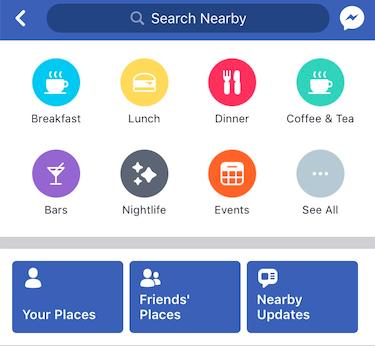
This is where Facebook attempts to keep you connected to the outer world as much as the inner, more … er … internet-based world.
The Local tab lets you know what's going on around you based on your location, and suggest events for you to attend and places for you to go if you're looking for something to do. Each place has a rating, and if it has a Facebook page you can visit that and check out reviews. It also gives you the option to view the places you and your friends have previously visited.
Town Hall gets you in touch with your local government officials. You can contact them and follow their pages as well as view voting reminders for elections in your area. You can also add a constituent badge so you can identify yourself as living in a certain elected official's district.
Questions?
Still have some Facebook questions you desperately need answered? Let us know what you need in the comments below and we'll do our best to help you out!
from iMore - Learn more. Be more. http://bit.ly/2GUawGr
Powered by IOSCUBE


No comments: